

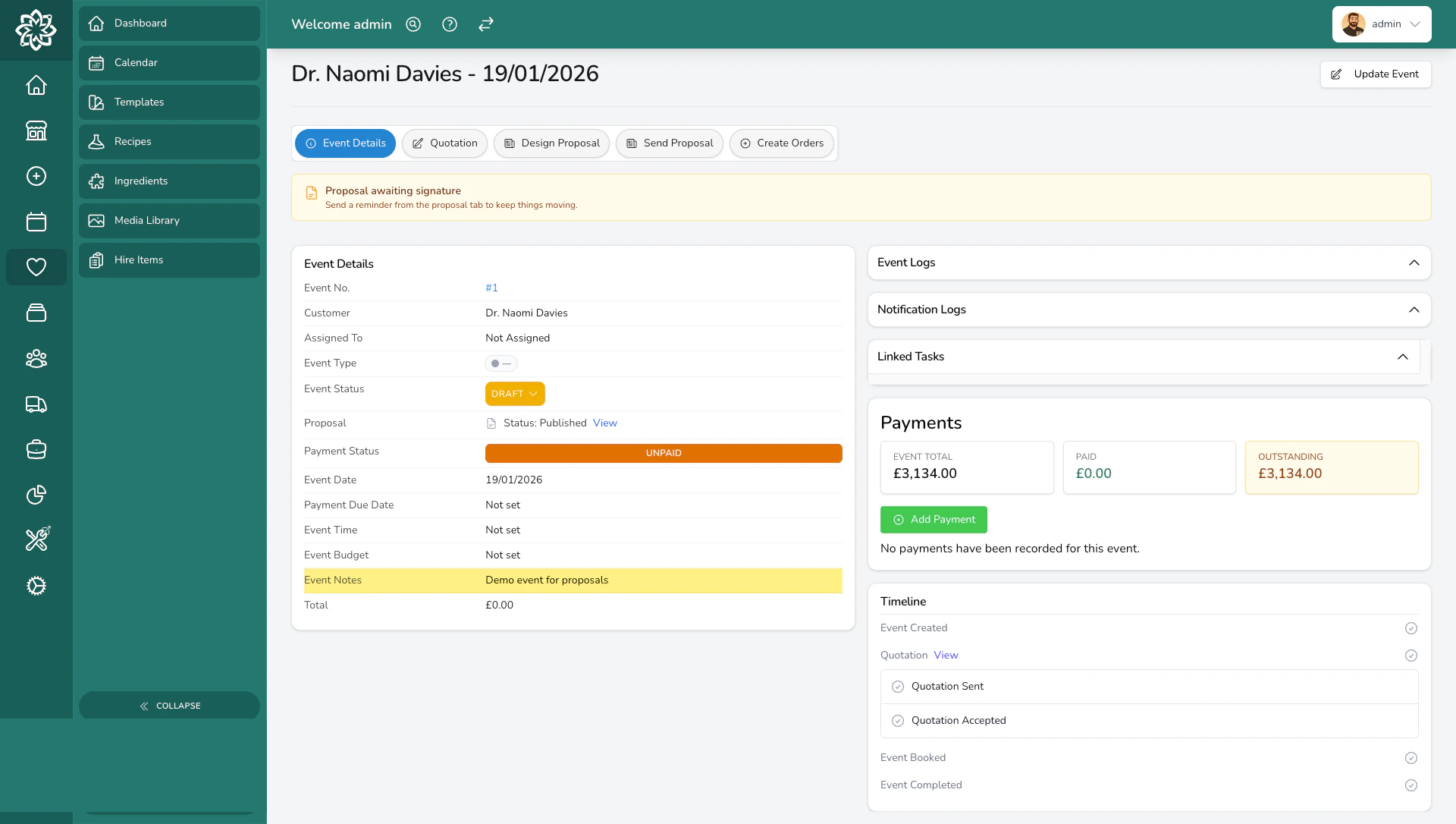
The event details page after creating an event
Starting a new event
You can create an event in two ways:- From the events dashboard — click the Create Event button to start with a blank form.
- From an enquiry form submission — when a customer fills in your online enquiry form, their answers are carried over automatically. See Converting Enquiries for the prefill flow and the Enquiry guide sidebar.
Filling in the event details
1
Choose your customer
Start typing a name to search your existing customers. If this is someone new, you can create a customer record right from the same screen without leaving the form.
2
Add contacts
Every event needs a lead contact — this is the main person you’ll communicate with. You can also add additional contacts and label them by their role (bride, groom, parents, coordinator, or a custom label).The lead contact is always pinned to the event and cannot be removed.
3
Add venues
Add one or more venues for the event. For each venue, enter:
- Venue name (e.g. “St Mary’s Church”, “The Grand Hotel”)
- Address
- Guest count
- Delivery window — when the flowers are due there, at a set time or between two
4
Set the event details
Fill in the key information about the event:
- Event type — choose from your configured event types (e.g. Wedding, Funeral, Corporate). Custom types can be added in Settings.
- Event date and time. Tick No specific time if the timing isn’t confirmed yet.
- Payment due date — auto-calculated a set number of weeks before the event (12 by default). Override it on this event if you need to, or change the default for every future event with Balance due (weeks before the event) in Settings > General > Events & proposals. Changing that default needs the Settings (Admin) permission, which Admins have by default; your administrator can adjust who has it in Settings > Team.
- Season — tag the event with a key seasonal moment (Christmas, Valentines, Mothers Day, Easter). This is a label for your own reference, and it prints on the event invoice. It does not adjust prices or check stock for you, so build any peak-season uplift into your quotation yourself. The Apply percentage adjustment tool is the quickest way.
- Event budget — pick from preset ranges or choose Custom to enter a specific figure.
- PO number — an optional purchase order reference. If you add one, it appears on the event’s invoices, which is handy for corporate or trade clients who need a PO on their paperwork.
5
Add notes
Use the notes field to record anything from your conversations — style preferences, inspiration references, special requests, or important dates to remember.
6
Record where the lead came from
Use the Marketing panel to track lead sources and partners:
- How did you hear about us? — a free-text source (e.g. Instagram, Google, Referral, Wedding Fair).
- Suppliers — other vendors working on the event (e.g. photographer, videographer) that you might partner with.
7
Save the event
Once you’ve filled everything in, save the event. It will be created in Draft status, and any automations you’ve set up (like sending a welcome email or notifying your team) will fire automatically.
Pick a date and you get that date. The event date and the payment due date read as the calendar day you chose everywhere they appear, including the date picker, the overdue card, and the history export.
What happens after you create an event
Your new event starts in Draft status. From here you can:- Move it through the event lifecycle as you consult, quote, and confirm
- Build a proposal with itemised pricing
- Schedule consultations and add them to your calendar
- Create orders when the event is confirmed
Common questions
Can I add more contacts or venues after creating the event?
Can I add more contacts or venues after creating the event?
Yes. You can add, edit, or remove contacts and venues at any time from the event details page. The only exception is the lead contact, which stays pinned to the event.
What if I don't know the venue yet?
What if I don't know the venue yet?
That’s fine. You can create the event without any venues and add them later once the client confirms their locations.
Can I change the event type after creating it?
Can I change the event type after creating it?
Yes. The event type can be updated at any point from the event details page. Changing the type won’t affect any proposals or orders you’ve already created.
How do I know which enquiry an event came from?
How do I know which enquiry an event came from?
Events created from an enquiry show a link back to the original enquiry submission on the event details page, so you can always trace where it started.
What’s next?
Event Lifecycle
Understand the stages an event moves through from draft to completion.
Quotation Builder
Build detailed, recipe-based quotes for your events.
Calendar
View all your events and consultations on a calendar.
Enquiry Forms
Set up online enquiry forms for your website.