

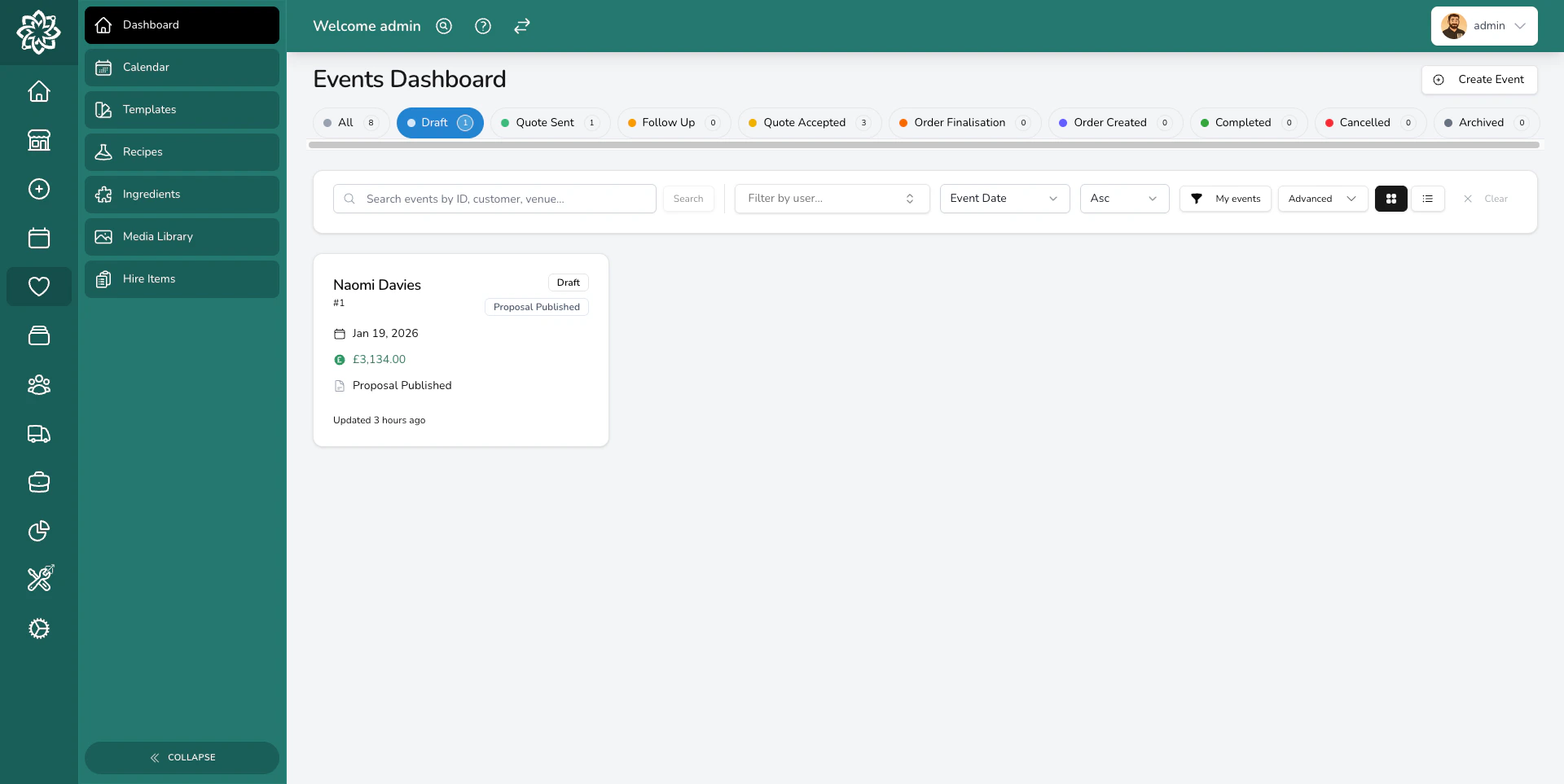
Your events dashboard showing upcoming bookings
Events plans and everyday orders
Events and Enterprise Events include the complete event workflow. You can manage enquiries, quotations, proposals, payments, event production orders, tasks, delivery, and the reports used to run your events. Event-linked production orders are created from the parent event. They don’t use your everyday-order allowance, regardless of how many orders an event needs. They also include five manually entered everyday orders per calendar month for each licensed location:
The manual allowance resets on the first day of each calendar month in your shop’s timezone. Unused orders don’t roll over. Once an everyday order is created, it counts even if you later cancel or void it. Drafts don’t count until you create the order.
You can continue viewing and managing existing everyday orders after using the monthly allowance. The Orders screens show the remaining allowance and link to Explore Orders. Administrators can see full usage and the reset date under Settings > About.
Events includes the reports you need to run events: event sales and payment, event customer, ingredient, and fulfilment and delivery, plus financial and accounting exports.
Retail order sales, customer marketing feeds, stock reporting, Insights, peaks, and areas require Orders. End-of-day reporting requires point of sale.
How events work
Every event follows a journey from the first enquiry through to the event day. Here’s what that looks like:1
Enquiry
A customer gets in touch about their wedding, corporate function, or special event. You create an event to start tracking it.
2
Consultation
You meet the client to discuss their vision, colours, style, and budget. Record their colour notes, moodboard images, and any other details on the event.
3
Build quotation
Use the quotation builder to create a detailed, itemised breakdown. Add recipes (with their labour) and any adjustments for discounts or surcharges.
4
Send proposal
Design a beautiful proposal and send it to the client via their Client Portal. They can review everything online at their own pace.
5
Booked
The client accepts the proposal, agrees to your terms, and pays their deposit. Move the event to Quote Accepted to confirm the booking — this reserves any hire items for the event date.
6
Finalisation
Move the event to Order Finalisation in the weeks before the date. Confirm final numbers, make any last changes to the flowers, and collect the final balance.
7
Create orders
Create orders from your quotation items. These appear on your dashboard so your team can prepare them as part of their normal workflow.
8
Event day
Your team prepares the arrangements, loads the van, and delivers everything to the venue. Once complete, close the event.
For a detailed breakdown of every status an event passes through, see Event Lifecycle.
Event details
Each event has a details page where you can see and manage everything about the booking.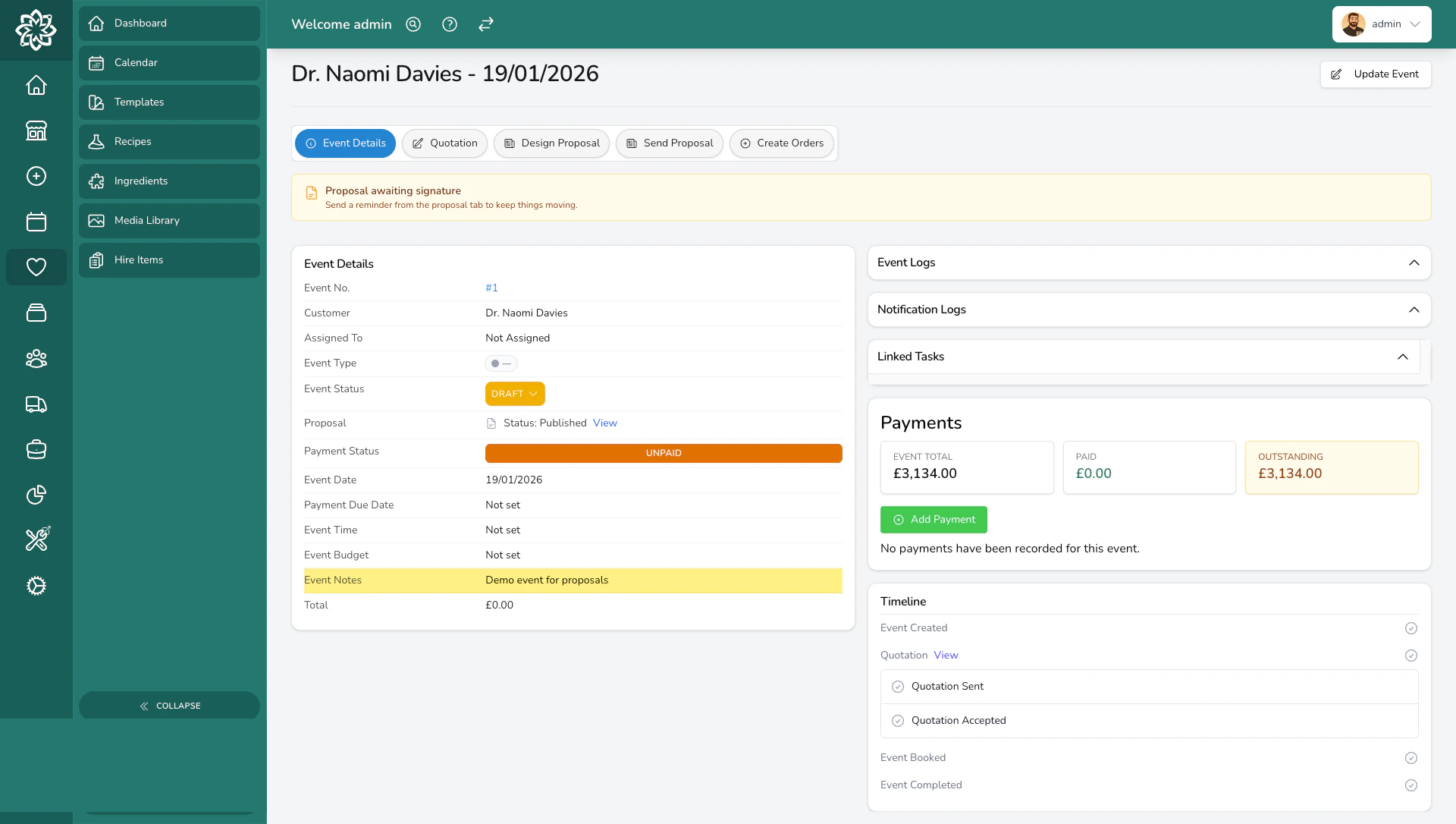
Event details showing venue, contact, and booking information
- View and update the client’s contact details and venue information
- Set the event date and event time
- Record colour notes and a budget for the booking
- Add event notes and event logs from consultations and conversations
- Jump to the linked quotation, proposal, and orders via the workflow tabs
- See payments, notification history, form submissions, and tasks in one place
Event types
Events are categorised by type so you can track different kinds of bookings. Every Digital Florists instance comes with three defaults:- Wedding — ceremonies, receptions, and full bridal packages
- Funeral — for larger tribute work that needs planning. Smaller tributes are typically handled as regular orders.
- Corporate — conferences, office flowers, recurring corporate contracts
Common questions
Can I manage funerals as events?
Can I manage funerals as events?
Yes. Smaller tributes are typically handled as individual orders, but larger funeral commissions with multiple arrangements benefit from the quotation and proposal workflow. The Funeral event type is included by default.
Can a client change their mind after accepting?
Can a client change their mind after accepting?
Yes. Record later changes on the event quotation and adjust the balance as needed. The accepted proposal stays frozen, so contact the client separately to confirm the change. When the change adds production work, create the extra orders from the event’s Orders tab.
How do I track deposits and payments?
How do I track deposits and payments?
Each event tracks payments separately. See Payments & Deposits for the full guide.
What's the difference between events and regular orders?
What's the difference between events and regular orders?
Everyday orders are for day-to-day sales such as walk-ins and phone orders. Events are for larger bookings that need consultations, detailed quotations, proposals, and longer planning timelines. See how the two fit together.
What’s next?
Creating an Event
Step-by-step guide to creating your first event.
Event Lifecycle
Every status explained, from draft to completed.
Quotation Builder
Build detailed, itemised quotations.
Proposals
Design and send proposals that win bookings.
Event Orders
Turn quotation items into production orders.
Event Calendar
View all events and check availability.