

This page covers features gated by Admin-tier permissions — typically Settings access. Admins have these by default; your administrator can adjust who has them in Settings > Team.
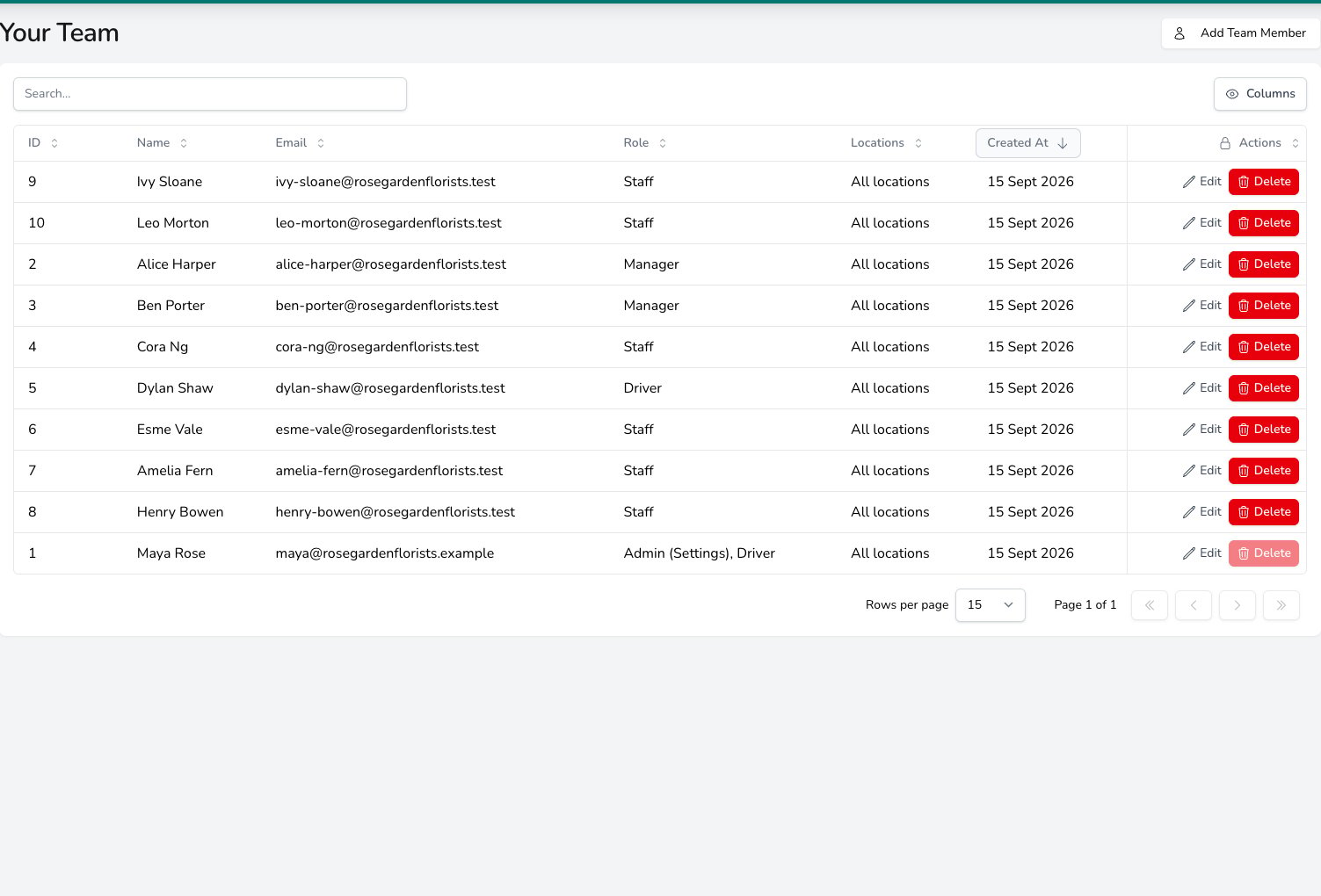
The team list shows each member's role and locations, with Edit and Delete on every row and Add Team Member at the top.
Adding a team member
Click Add Team Member and fill in their details.- Full Name, which is how they appear in Digital Florists
- Email Address, optional, but needed if they’ll receive email notifications
- Profile Photo, optional
Roles
Roles are the quickest way to set up a team member’s access. Each role is a bundle of permissions. Pick the one that matches what the person does, and they’ll get the right access automatically. You can assign more than one role to a person. For example, a florist who also does deliveries can be both Staff and Driver.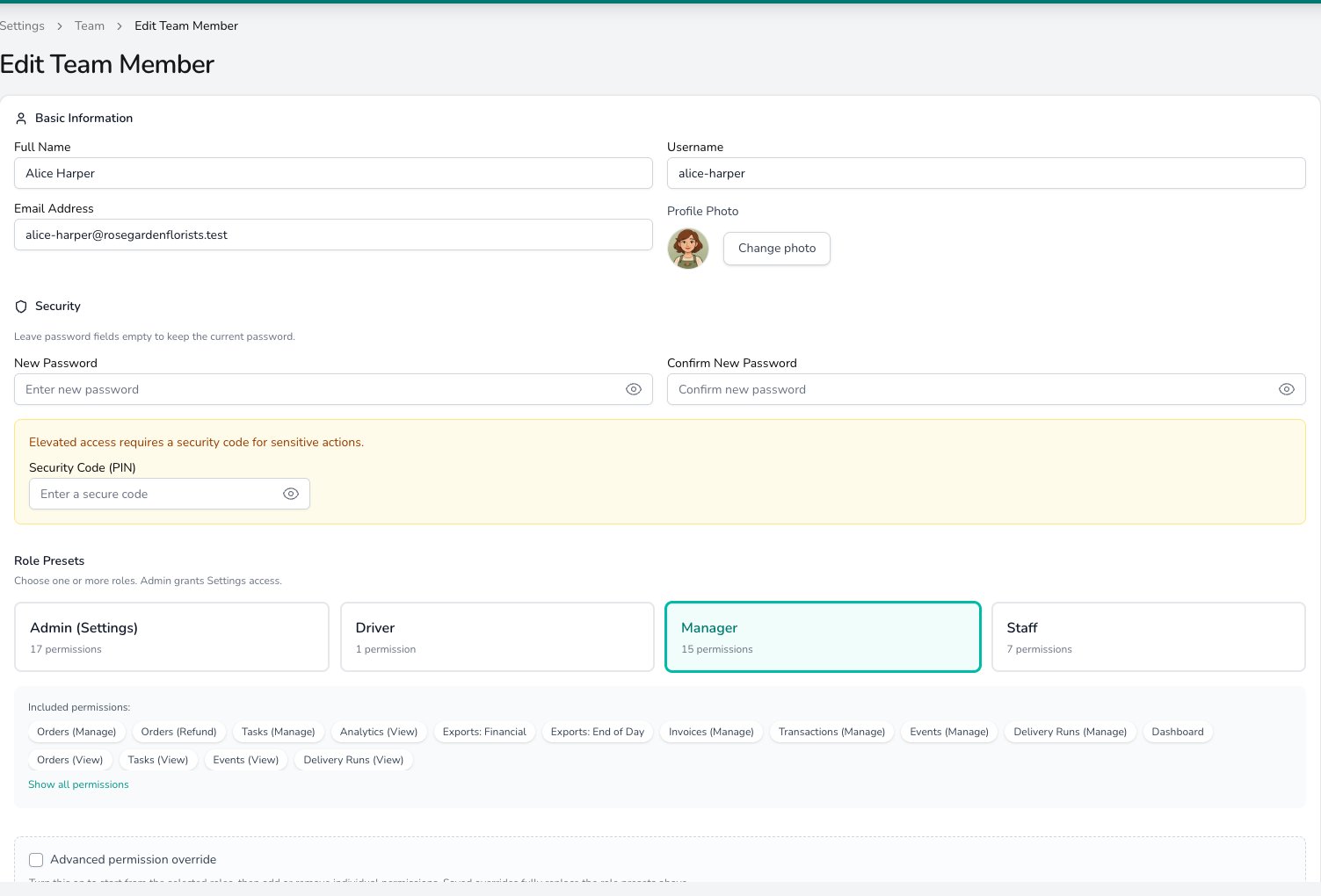
Pick one or more roles under Role Presets; the permissions each one includes are listed underneath.
What each role can do in detail
If you need to know exactly which permissions each role includes:Staff permissions
Staff permissions
- Dashboard
- Orders (View) and Orders (Manage)
- Tasks (View)
- Events (View)
- Delivery Runs (View) and Delivery Runs (Manage)
Manager permissions
Manager permissions
Everything in Staff, plus:
- Orders (Refund)
- Tasks (Manage)
- Analytics (View)
- Exports: Financial
- Exports: End of Day
- Invoices (Manage)
- Transactions (Manage)
- Events (Manage)
Admin permissions
Admin permissions
Everything in Manager, plus:
- Settings (Admin), full access to shop configuration
- Analytics Snapshot, the Manager Snapshot screen in the Digital Florists App, a daily summary of takings and orders for managers on the go
Driver permissions
Driver permissions
- Driver App Access only, with no dashboard or web access. Drivers don’t inherit any Staff permissions; they’re a standalone preset for the mobile app.
Permissions and your plan
Permissions control which team members can use features included with your plan. They don’t change the plan or its allowances. For example, Orders (Manage) lets someone manage Orders only when Orders is also included with your plan. Both conditions must be true: the plan includes the feature, and the team member has the relevant permission. Check Settings > About for your plan and current allowances.Overriding permissions
Sometimes a role doesn’t quite fit. You might want a staff member to view analytics without having full Manager access, or a Manager who handles events but not invoices. Permission overrides let you customise exactly what a team member can do, regardless of their assigned role.How it works
- Open a team member’s profile and scroll to the permissions section
- Tick Advanced permission override
- Tick or untick each permission in the grid that appears
- Once the override differs from the selected roles, the page lists what changed under Added permissions and Removed permissions
Removing an override
To go back to the standard role permissions, either:- Click Reset to selected roles to copy the role defaults back into the override
- Untick Advanced permission override to drop the override entirely
Available permissions
The override grid lets you toggle individual capabilities across dashboard, orders, tasks, events, deliveries, financial exports, transactions, and settings access. Most shops never need to leave the role defaults.Security codes
A team member needs a security code (a 4-6 character PIN) when they hold any permission that’s in the Manager or Admin presets by default but not in Staff. This includes Managers, Admins, and Staff who’ve been granted those permissions via an override. The security code is used for:- Switching users at the POS. When a Manager takes over the till, they enter their PIN to confirm it’s them.
- Accessing protected areas of the dashboard. Analytics, settings, refunds, invoices, and financial exports prompt for the PIN before opening.
When the roles or override you’ve chosen need a code, the team member’s page asks for one under Security Code (PIN) before you can save.
Passwords and PINs
Go to Settings > General > Security & access to decide how often passwords change and when switching users asks for a PIN. Click Save security & access when you’re done.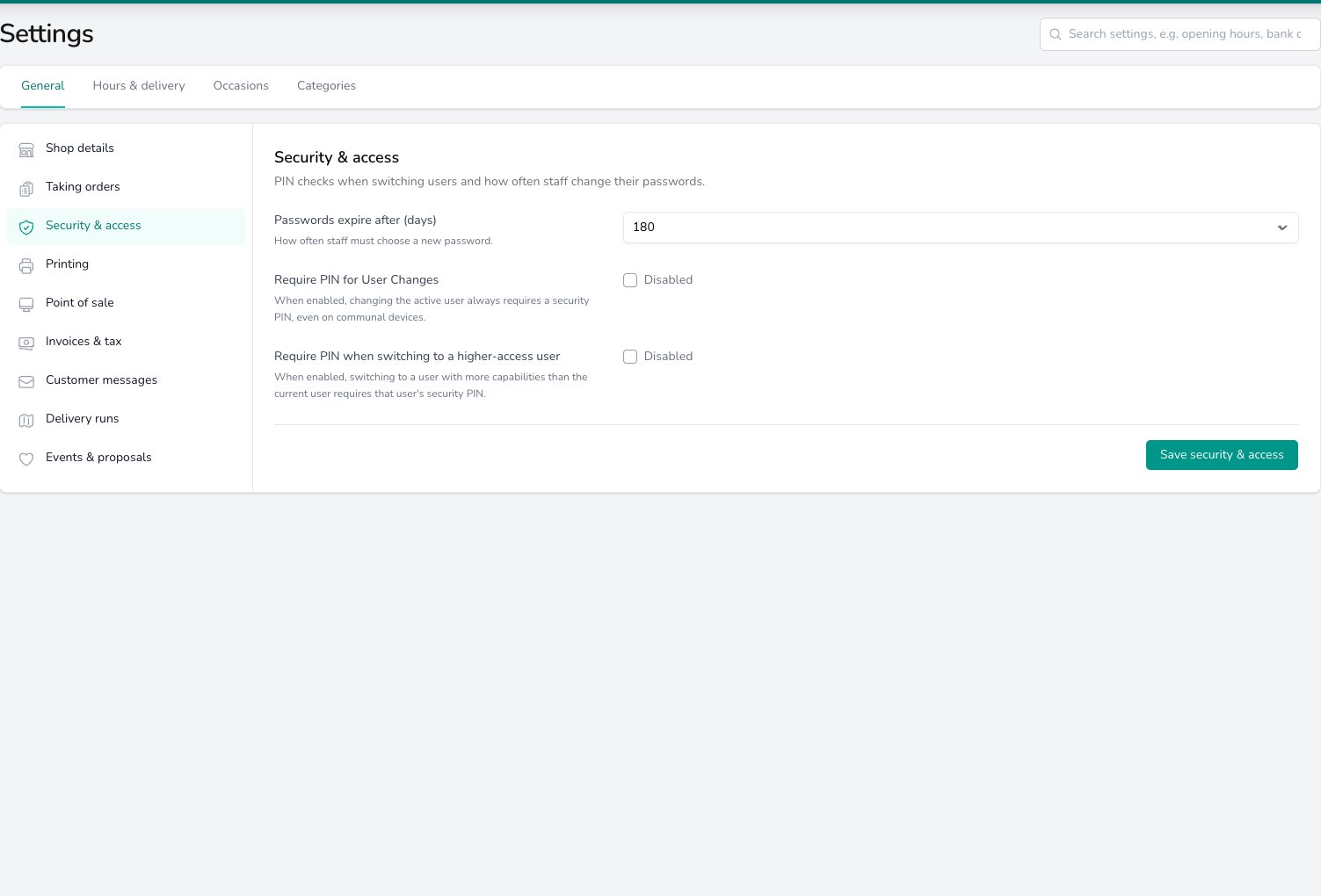
Security & access sets how often staff change their password and whether switching users on a shared device asks for a PIN.
Location access
If you have more than one shop location, you can control which locations each team member can access. Tick Access all locations under Location Access and the team member sees orders, deliveries and data from every location, including any you add later. Untick it and tick the locations they work at instead. They then see nothing from the other locations: no orders, no runs, no reports. This is useful for businesses with multiple shops where staff only work at one branch. A florist at your Manchester shop won’t see orders destined for your Leeds shop.Editing a team member
Open a team member’s profile to change any of their details. You can update their:- Name, username, email, and profile photo
- Password (leave blank to keep the current one)
- Roles and permission overrides
- Security code
- Location access
Removing a team member
Click Delete on their row in Your Team and confirm. The team member is signed out and can’t log in again. Their name still appears on past orders, activity logs and reports so your records stay intact.Common questions
What if someone forgets their password?
What if someone forgets their password?
Open their profile in Settings > Team and set a new password for them. Managers and Admins with an email address on their profile can also reset their own from the sign-in screen. See Password Resets.
Can someone have more than one role?
Can someone have more than one role?
Yes. Roles stack, so a team member with both Staff and Driver gets all the permissions from both. This is common for florists who also do deliveries.
What's the difference between roles and overrides?
What's the difference between roles and overrides?
Roles are pre-set bundles of permissions. Pick one and you’re done. Overrides let you customise the exact permissions for a specific person. Most teams only need roles. Use overrides when a role doesn’t quite fit.
Can team members see financial reports?
Can team members see financial reports?
Only if they have the Analytics (View) or Exports: Financial permission. Managers and Admins have both by default; your administrator can grant either to a Staff member via an override.
What if I change someone's role after setting an override?
What if I change someone's role after setting an override?
The override stays in place. Changing the role updates the defaults shown for comparison, but the override still replaces them. To use the new role’s defaults, click Reset to selected roles or untick Advanced permission override.
Why is Digital Florists asking for a security code?
Why is Digital Florists asking for a security code?
Certain permissions (like analytics, settings, refunds, and invoice management) require a security code for the team member. Digital Florists will prompt you to set one if the role or override includes these capabilities.
Can I see what permissions someone has?
Can I see what permissions someone has?
Yes. Open their profile and look at the permissions section. It shows the permissions they hold, whether from a role or an override. If an override differs from their roles, the page lists what it has added and removed.
What’s next?
For Owners
The full onboarding guide for setting up your shop and team.
Shop details
Set your shop name, contact details, logo and regional defaults.
Your Dashboard
Assign orders to team members from the dashboard.
Digital Florists App
Set up the mobile app for your drivers and florists.