

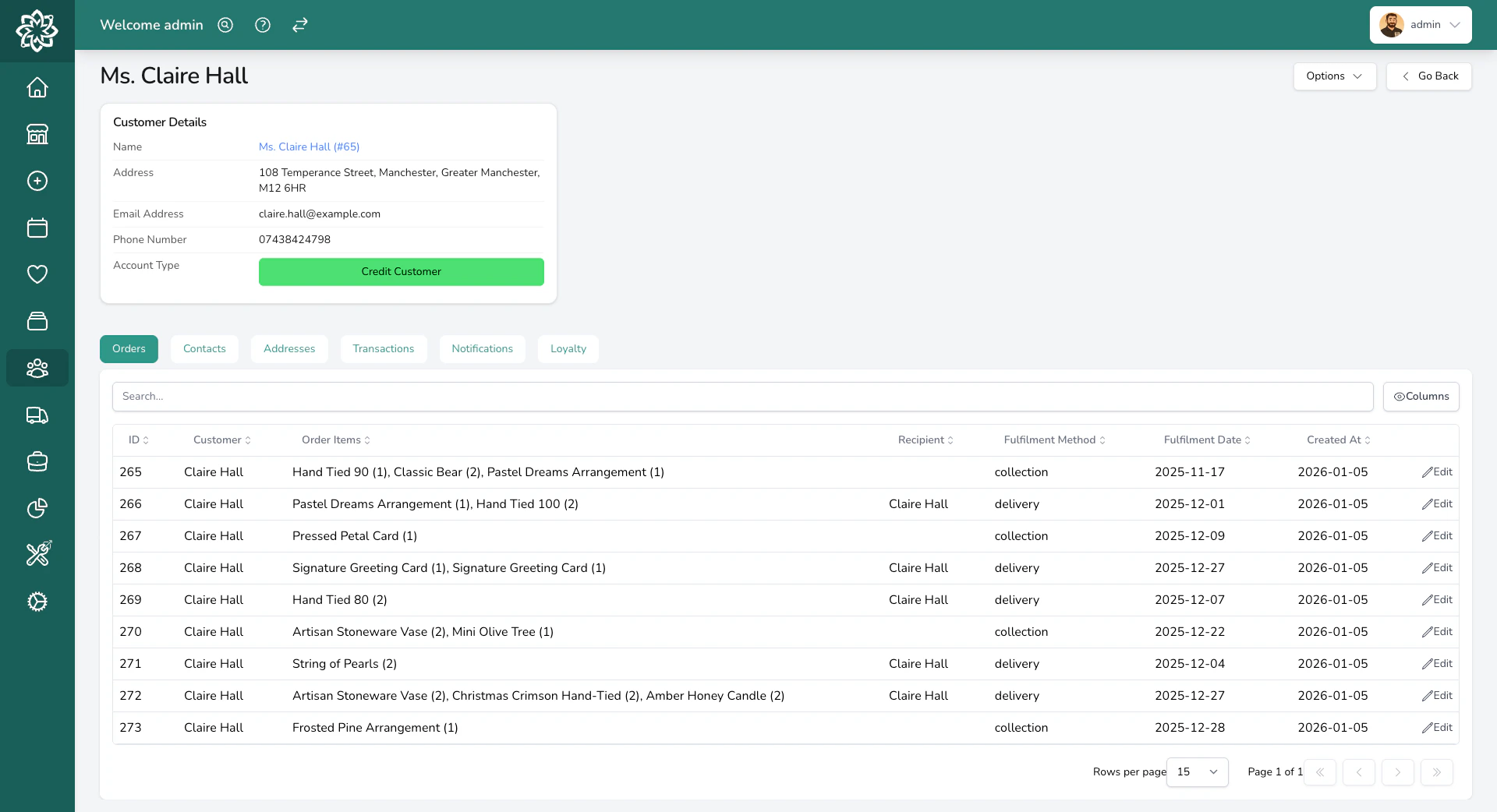
Customer profile showing order history
Customer types
Every customer is one of two types, set under Account Type on the customer’s edit screen.
For credit customers, the customer’s edit screen also exposes payment terms, an optional account discount, and a Preferred delivery option. See Account Customers for the full setup.
Preferred delivery option
Set a Preferred delivery option on a credit customer and their orders start on that option. Your team sees it already chosen when they take an order for that shop and date, and they can pick a different one. As you open the list, each option tells you where it applies.- If you run more than one shop, an option names the shop it belongs to, or reads All shops.
- An option your team can’t pick on an order is marked POS only, and one that isn’t offered at the till is marked Staff orders only.
The customer profile
Opening a customer shows their contact details, notes, and a set of tabs for their related records. The header shows their name, address, email, phone number, and account type. A bell icon appears next to the name if they’ve opted out of notifications, and a yellow note banner shows any note your team has saved (for example, “Always wants pink, never red”). Below that, tabs split their related records. Loyalty appears once you’ve set up a loyalty scheme, and Forms once an enquiry has been linked to them:- Orders — every order they’ve placed.
- Contacts — additional named contacts on the customer (for example, individual buyers within a hotel account).
- Addresses — addresses saved against the customer.
- Transactions — payments and refunds linked to the customer.
- Notifications — the log of order and marketing emails or texts sent to them.
- Loyalty — their stamp card, once a loyalty scheme is set up.
- Forms — enquiry form submissions linked to this customer.
Loyalty
Open the Loyalty tab to see how far this customer has got on their stamp card. You’ll see the stamps they hold towards their next reward, any rewards waiting to be used, and when they last earned something. Their loyalty code is here too, printed big enough to read out over the phone. If they’ve lost their reward email, click the button on this tab to send it again. Where your shop ran a points scheme in the past, you’ll also see a Retired points balance here. It’s a record of what that customer had collected, and the till can’t spend it. Put any goodwill on their next order as a discount yourself. See Loyalty for how the stamp card is set up and how rewards are given.Merging duplicate customers
If a customer ends up with two profiles (for example, one from the website and one from a phone order), you can merge them into one. See Merging customers for the step-by-step.Deleting a customer
Deletion removes the profile but keeps order history. See Deleting customers.Common questions
Can I search for a customer by phone number?
Can I search for a customer by phone number?
Yes. You can search by name, email, or phone number.
Can I send emails to multiple addresses for the same customer?
Can I send emails to multiple addresses for the same customer?
Yes. Separate email addresses with a semicolon — for example,
jane@example.com;john@example.com. Both addresses receive every email Digital Florists sends to this customer.We have multiple accounts that need to use the same email address. Can that work?
We have multiple accounts that need to use the same email address. Can that work?
Yes. Add a
+ tag after the name part of the email to create a unique variation. For example, jane+hotel@example.com and jane+office@example.com both deliver to the same inbox but are treated as separate customers in Digital Florists. The format is name+tag@domain.com.Can I export my customer list?
Can I export my customer list?
Yes. See Reports for how to download your customer data as a CSV.
What’s next?
Merging customers
Combine duplicate profiles into one record.
Deleting customers
GDPR right-to-be-forgotten flow.
Orders
See how customers are linked to orders.
Loyalty
Set up the stamp card your regular customers collect on.