

This page covers features gated by Admin-tier permissions — typically Settings access. Admins have these by default; your administrator can adjust who has them in Settings > Team.
Where to find it
Go to Settings > Storefront > Promotions. Every code you’ve created is listed there with its discount and note.Creating a discount code
Click Create Promotion in the top right.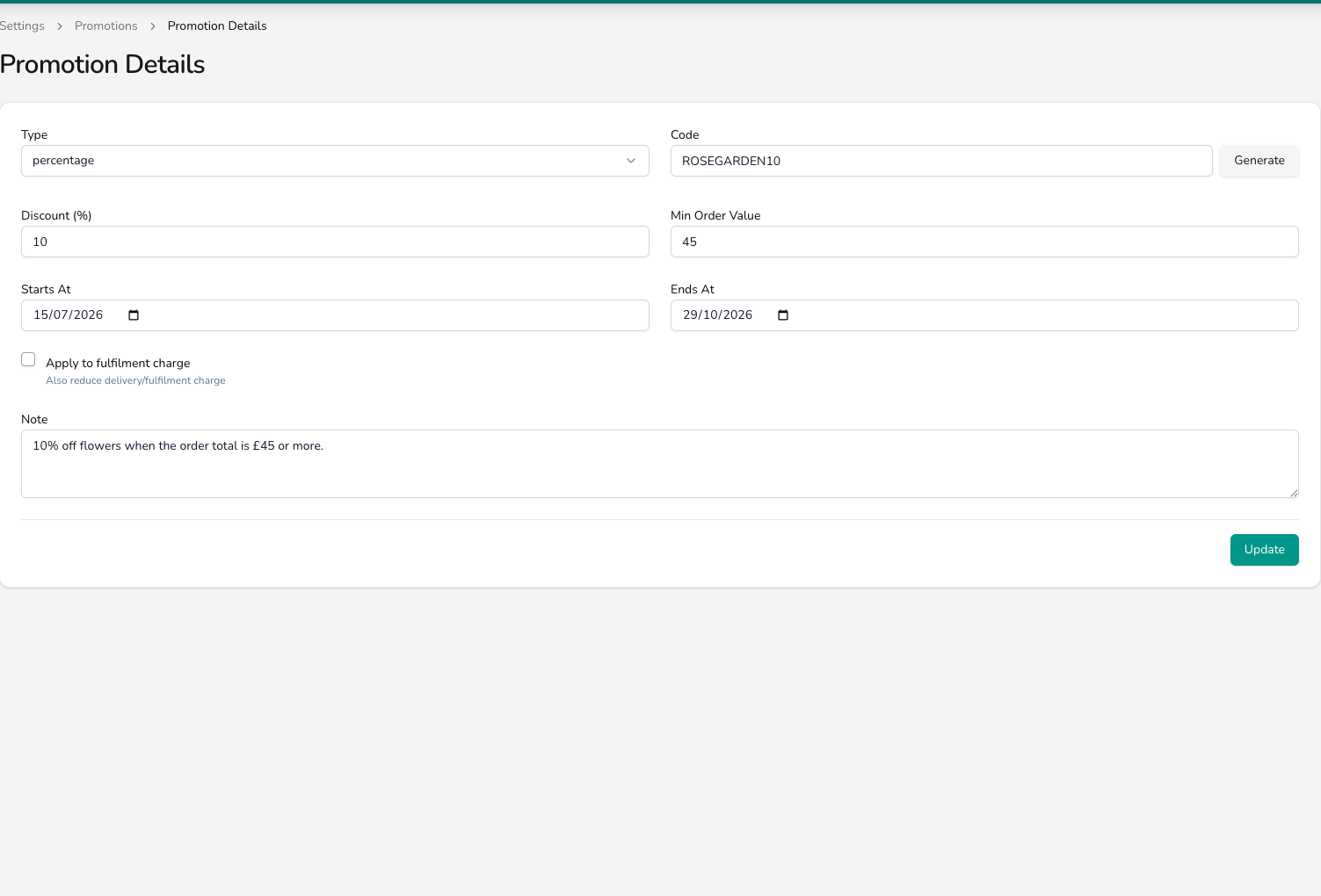
One form holds the whole code: its type and code on the top row, then the discount, the smallest order it applies to and the dates it runs between.
1
Set the code
Enter a memorable code in Code that your team can apply to an order, for example WELCOME5 or ROSEGARDEN10. You can also click Generate for a random code.
2
Choose the type
Pick how the discount works.
- percentage takes a percentage off the order. Enter the figure in Discount (%), such as 10 for 10% off.
- fixed takes a set amount off. Enter the figure in Discount (amount), such as 5 for £5 off.
- product adds a product to the order at no charge. Choose it in Free Product.
3
Set conditions
Control when the code can be used.
- Min Order Value sets the smallest order the code works on. Enter 35 and a £5 code only applies to orders of £35 or more.
- Starts At and Ends At set the dates the code runs between, for example 1 to 14 February for Valentine’s.
- Apply to fulfilment charge takes the discount off the delivery charge as well as the products.
- Note is for your team. Write down what the code is for and when it applies, and it shows beside the code in the list.
Managing promotions
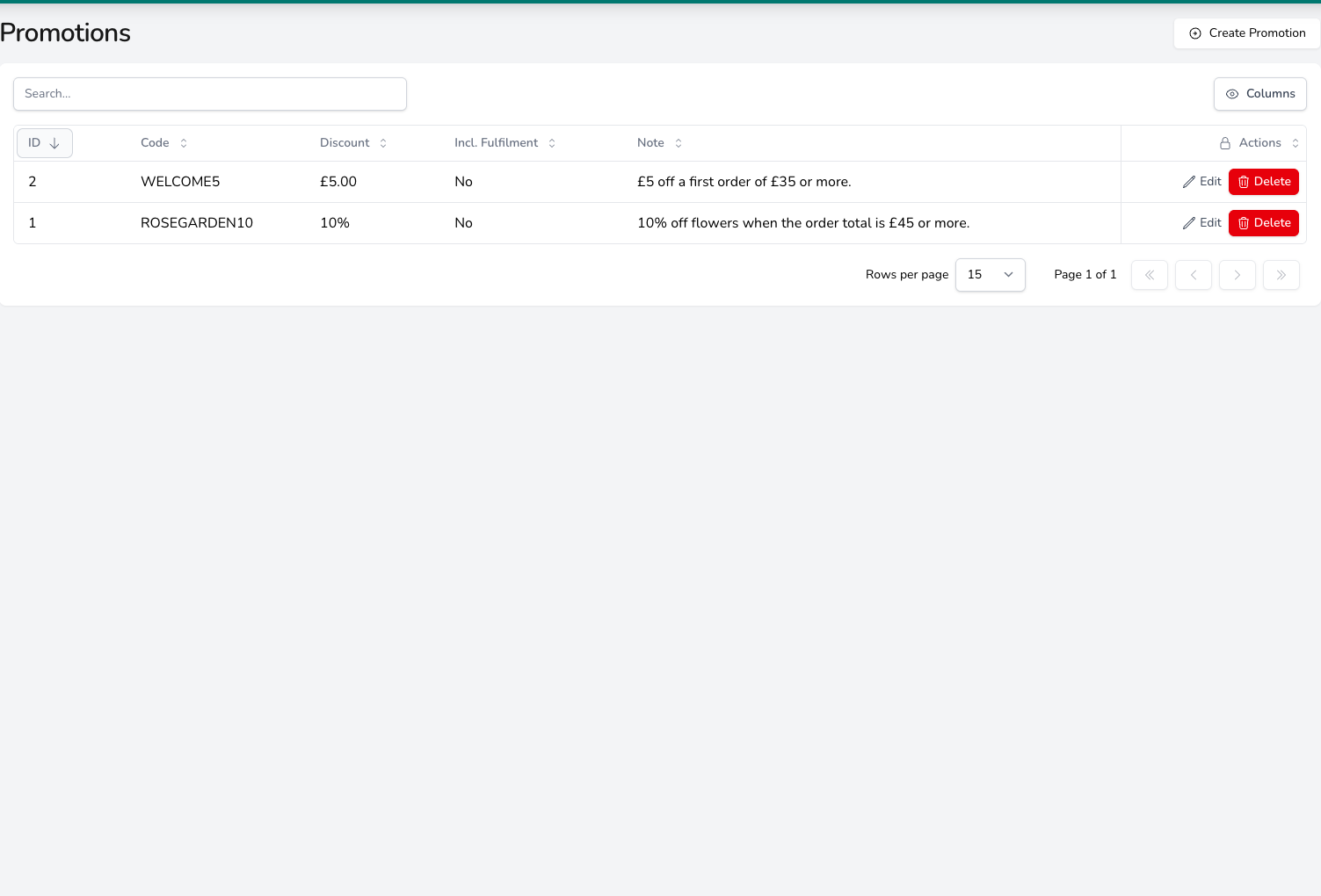
Each code is listed with its discount, whether it also reduces the fulfilment charge, and the note your team reads.
- If the current date is between Starts At and Ends At (or no dates are set), the code is active and can be applied
- If Ends At has passed, the code is expired and can’t be applied
- To remove a promotion early, click Delete on its row
Common questions
Can more than one discount code be applied to an order?
Can more than one discount code be applied to an order?
Only one discount code can be applied per order. If you want to offer a combined deal, create a single code that covers everything.
How do I apply a discount on a phone order?
How do I apply a discount on a phone order?
When creating an order from the dashboard or POS, scroll down to the Payments section at the bottom of the order and click Add a promotion. Pick the active code from the list. See Creating an order.
Where does the discount show up on the order?
Where does the discount show up on the order?
The applied code and the discount amount appear in the order summary on the order detail page, alongside the subtotal and fulfilment charge. See Orders for the full breakdown.
What’s next?
Products
Manage your product catalogue and pricing.
Orders
See how discounts appear on orders.