

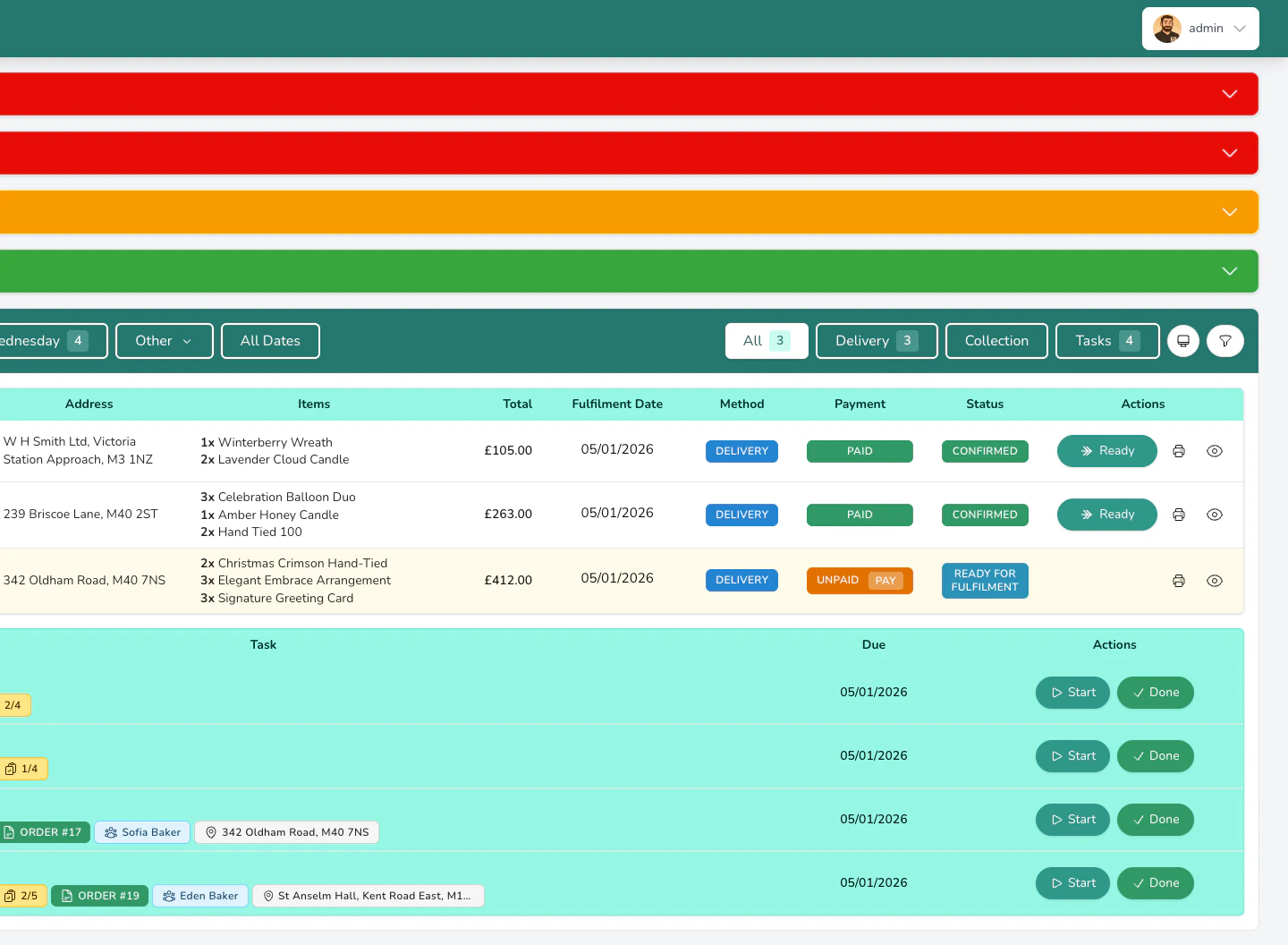
The four main cards
These cards sit at the top of your dashboard and update throughout the day.All Orders
This answers: How many orders do I need to prepare today?
Delivery
This answers: How many orders need to go out for delivery today?
Collection
This answers: How many customers are coming to pick up today?
Tasks
This answers: What else needs doing today?
Tab counts
Each tab (All, Delivery, Collection, Tasks) shows a badge with its count. These update as you confirm, fulfil, or cancel orders throughout the day.Date counts
When you open the calendar (click Other above the orders table), each date shows how many orders are scheduled. This helps you spot busy days coming up so you can plan your stock and staffing. Dates with scheduled events show a small heart icon, so you can see at a glance when weddings or other events are happening.Alert counts
The alert cards at the top of your dashboard also show counts:- Unpaid Orders shows the number of fulfilled orders still awaiting payment
- Unfulfilled Orders shows the number of orders from past days not marked as complete
- Overdue Tasks shows tasks past their due date
- Overdue Events shows events past their date that haven’t been closed
- Integration Failures shows orders that failed to send to relay networks
- Failed Repeat Orders shows recurring orders that failed to generate
Production totals
When you click the Production button, you’ll see a table showing the total quantity of each product across all confirmed orders. For example, if you have 3 orders for a Standard Hand-Tied and 2 orders for a Large Hand-Tied, you’ll see:| Product | Quantity |
|---|---|
| Standard Hand-Tied | 3 |
| Large Hand-Tied | 2 |
Shopping list totals
If you’ve set up recipes for your products, the Shopping List shows ingredient totals. For each ingredient, you’ll see:- Quantity needed is the total stems or units across all orders
- Packs to buy is how many packs or bunches you need, based on the purchase quantity you’ve set for each ingredient
- Orders using it is how many orders need this ingredient
- Retail value is the total selling price of orders using this ingredient
What’s next?
Your Dashboard
Go back to the main dashboard guide.
Dashboard Tips
Daily routines and shortcuts to work faster.