

Exports let you download your data as spreadsheet files that you can open in Excel, Google Sheets, or import into other tools.Documentation Index
Fetch the complete documentation index at: https://docs.florists.digital/llms.txt
Use this file to discover all available pages before exploring further.
This page covers features gated by Manager-tier permissions. Managers and Admins have these by default; your administrator can adjust who has them in Settings > Team.
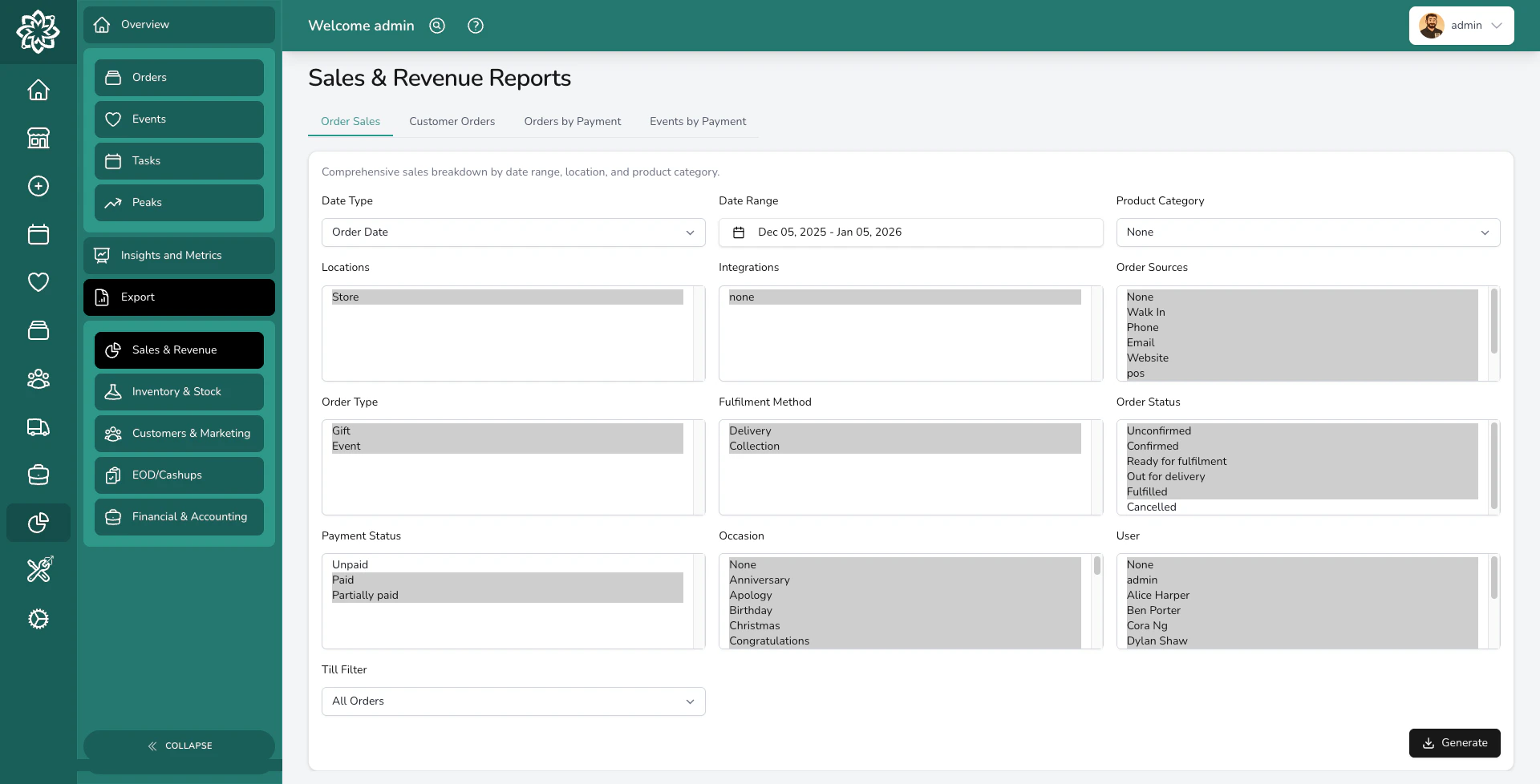
How exports work
Most exports follow the same pattern: filter first, then download.Go to the export page
Head to Analytics > Export and pick the category you need — Sales, Inventory, Customers, Financials, or End of Day.
Set your filters
Choose a date range, location, statuses, or any other filters available for that report.
Export formats
| Format | Where it’s used | Opens in |
|---|---|---|
| XLSX (Excel) | All reports from Analytics > Export | Excel, Google Sheets, Numbers |
| CSV | Product, customer, and ingredient exports from their list pages | Excel, Google Sheets, any spreadsheet tool |
| Order worksheets and delivery run sheets | Any PDF viewer |
What you can export
Here’s a quick reference of everything you can download. For detailed filter options and what each report includes, see Reports.From Analytics > Export
| Category | Reports available |
|---|---|
| Sales & Revenue | Order Sales, Customer Orders, Orders by Payment Method, Events by Payment Method, Event Sales |
| Inventory & Stock | Stock Levels, Stock Movements, Ingredient Summary, Ingredient Breakdown |
| Customers & Marketing | Customer Marketing, Customer Marketing (All), Event Customers, Event Customers (All), Recurring Marketing |
| Financials | All Invoices, Accounts, Transactions, Transaction Payments, Accounting Export (Sage/Xero/QuickBooks) |
| Insights | Team by Orders Marked Ready, Top 100 Customers by Orders, Top 100 Customers by Total Spent |
| End of Day | Date Range Report |
From other pages
| Page | What you can export |
|---|---|
| Orders | Order list as CSV, orders by fulfilment date as CSV, order worksheets as PDF |
| Customers | Customer list with contact details as CSV |
| Products | Product catalogue with variants, pricing, and barcodes as CSV |
| Delivery | Delivery run sheets as PDF, delivery photos as ZIP |
| Ingredients | Ingredient list as CSV (blank template or with data) |
Audit logging
Every export is logged automatically. The audit log records:- Who downloaded the file
- When it was downloaded
- Which report type
- What filters were applied
- How many records were included
Common questions
What format are exports in?
What format are exports in?
Most reports are XLSX (Excel) files. Simpler exports like customer and product lists are CSV. Order and delivery sheets can be PDF.
Is there a limit on how much I can export?
Is there a limit on how much I can export?
Invoice reports are capped at 10,000 records. Other reports have no hard limit, though very large exports may take a moment to generate.
Can I schedule automatic exports?
Can I schedule automatic exports?
Exports are currently manual. For automated financial data, connect to Xero or QuickBooks via Integrations.
Why can't I see certain reports?
Why can't I see certain reports?
Financial reports require the Exports: Financial permission, and end of day reports require the Exports: End of Day permission. Managers and Admins have both by default; your administrator can adjust who has each in Settings > Team.
What’s next?
Reports
Detailed guide to every report and its filters.
Analytics
View your data visually with charts and trends.
Financials
Manage invoicing, payments, and accounting.
Integrations
Connect to Xero, QuickBooks, and other tools.