

Products vs ingredients
Digital Florists separates what you sell from what you buy:- Products are what customers order (e.g., “Red Rose Hand-Tied”). Each product has one or more variants, such as a size, a colour or a tier. Stock is tracked per variant when you enable Stock control on it.
- Ingredients are what you buy from suppliers (e.g., “Red Naomi Rose stem”, “Eucalyptus”, “Cellophane”). Ingredients don’t have a running stock count of their own; the exception is hire items (vases, urns, plinths), which carry a stock quantity that’s checked against event dates. See Hire items below.
Product stock
Stock is tracked at the variant level. Each variant on a product has its own stock count and its own Stock control toggle. Turn it on when you want Digital Florists to keep a running count for that variant. When Stock control is enabled on a variant:- Your dashboard shows a stock level on each variant and flags when it runs out.
- Stock is deducted when the variant is added to an order.
- Stock is returned to the variant when the order is cancelled or the item is swapped for a different product.
Stock control is set per variant on the product. See Stock control on Products for where to find the toggle.
Adjusting stock
Requires the Settings (Admin) permission. Admins have this by default; your administrator can adjust who has it in Settings > Team.
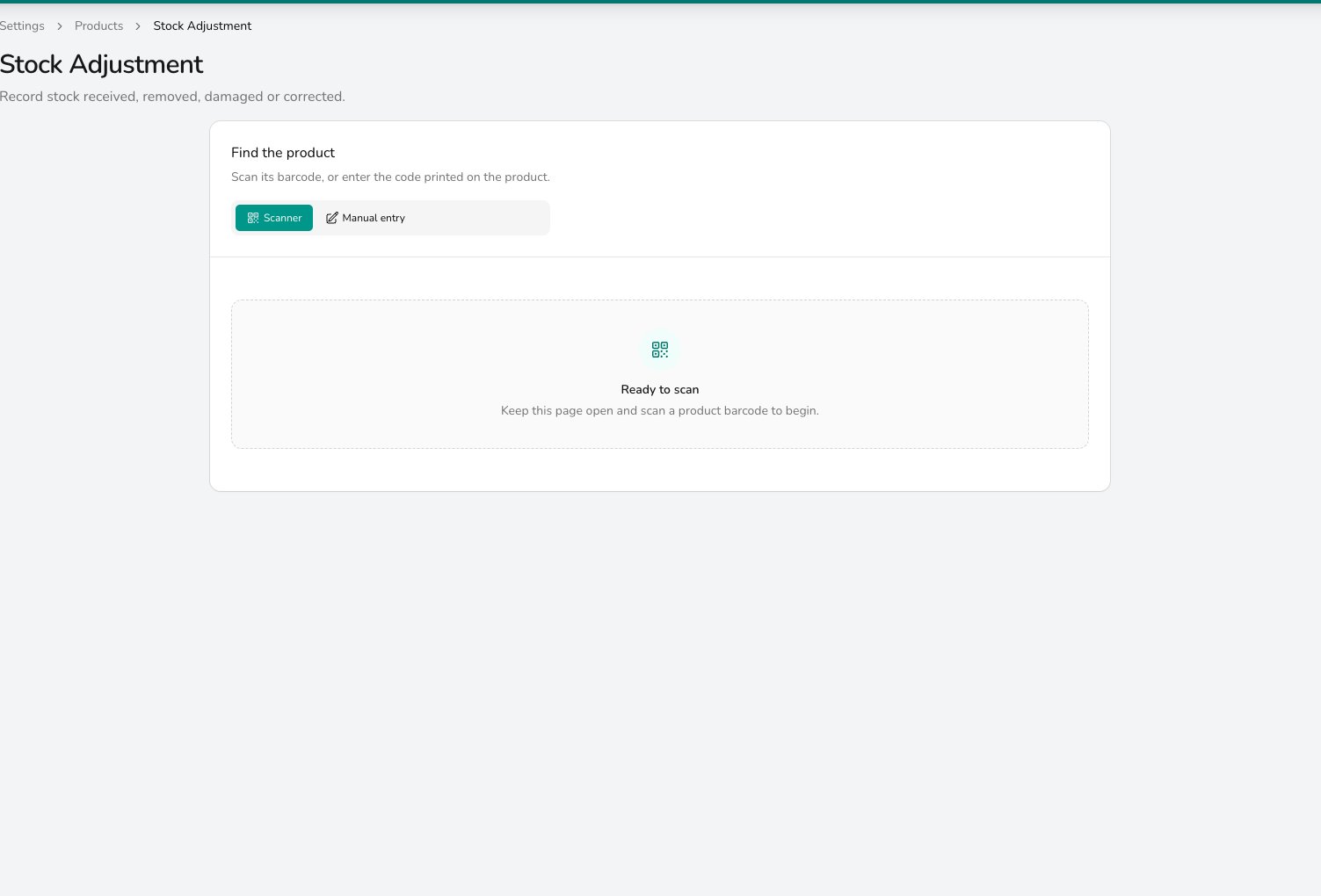
Record stock received, removed, damaged or corrected by scanning a product barcode or typing its code.
- Leave Scanner selected, connect a barcode scanner to the workstation, and scan the product’s barcode to pull up the variant.
- Choose Manual entry if you don’t have a scanner, and type the code printed on the product.
- Pick an Adjustment reason from your list (New Stock, Damaged Goods, Stock Take, and any others you’ve set up).
- Tick Set an exact stock level instead to set stock to an exact number. Leave it unticked to add or subtract from the current count.
Substitutions
If you run out of a product, you can swap the line on a specific order for a different one, for example replacing a “Red Naomi Rose Hand-Tied” with a “Grand Prix Rose Hand-Tied” on a single order. To swap an item, open the order, hover the line in the items list, and click the Substitute item icon. You can browse replacements by category, filter by price range, and pick a variant. The customer price on the line stays the same. When you substitute:- Stock is returned to the original variant and deducted from the replacement.
- The ingredient breakdown for that line is refreshed to match the new variant.
- The change is recorded in the order’s history.
Hire items
Some things you lend out rather than use up: vases, urns, candelabras, plinths. These live with your ingredients but are marked as hire items, so their stock is tracked separately and checked against event dates. For setting up and managing hire items, see Hire Items.Stock and ingredient reports
Open Analytics > Export > Inventory & Stock for downloadable spreadsheets covering stock and demand:- Stock: current stock levels across your variants, with cost and retail prices. Useful for spot-checks and stocktakes.
- Stock Movements: every adjustment, sale, return, and override within a date range. Use this as your audit trail when a count doesn’t look right.
- Ingredient Summary: a consolidated shopping list of how many of each ingredient you need across a date range, grouped by ingredient and colour.
- Ingredient Breakdown: a per-order worksheet listing the exact stems needed for each order in the range.
Common questions
Do I have to track stock for everything?
Do I have to track stock for everything?
No. Stock control is optional and toggled per variant. Many shops only track their most expensive or limited items and let everyday sundries run on a visual check.
When does adding a product to an order reduce stock?
When does adding a product to an order reduce stock?
As soon as the line is added, if the variant has Stock control enabled. Cancelling the order returns the stock; swapping the line for a different variant returns the original and deducts the replacement.
Can I import ingredients from a spreadsheet?
Can I import ingredients from a spreadsheet?
Yes. See Importing Data for the template columns and the dry-run option.
My stock levels seem wrong
My stock levels seem wrong
Export Stock Movements from Analytics > Export > Inventory & Stock to see every change on a variant within a date range. Check for recent adjustments, because an exact stock level set by hand replaces the running count. Also confirm the Stock control toggle is on for the variant; if it’s off, sales won’t deduct stock.
What’s next?
Products
Manage your product catalogue, variants, and pricing.
Ingredients
Add ingredients, set costs, and track price changes.
Recipes
Build recipes so ingredient demand flows through to your reports.
Importing Data
Import products and ingredients in bulk from spreadsheets.