

This page covers features gated by Admin-tier permissions — typically Settings access. Admins have these by default; your administrator can adjust who has them in Settings > Team.
Your weekly hours
Switch on Set weekly opening hours, then switch on each day you open and set when it Opens and Closes. Deliveries and collections both follow these hours. Press Save opening hours when you’re done. Leave the switch off and your team can book an order for any day of the week. Press Split hours on a day to add a second pair of times, which is how you record a lunchtime closure.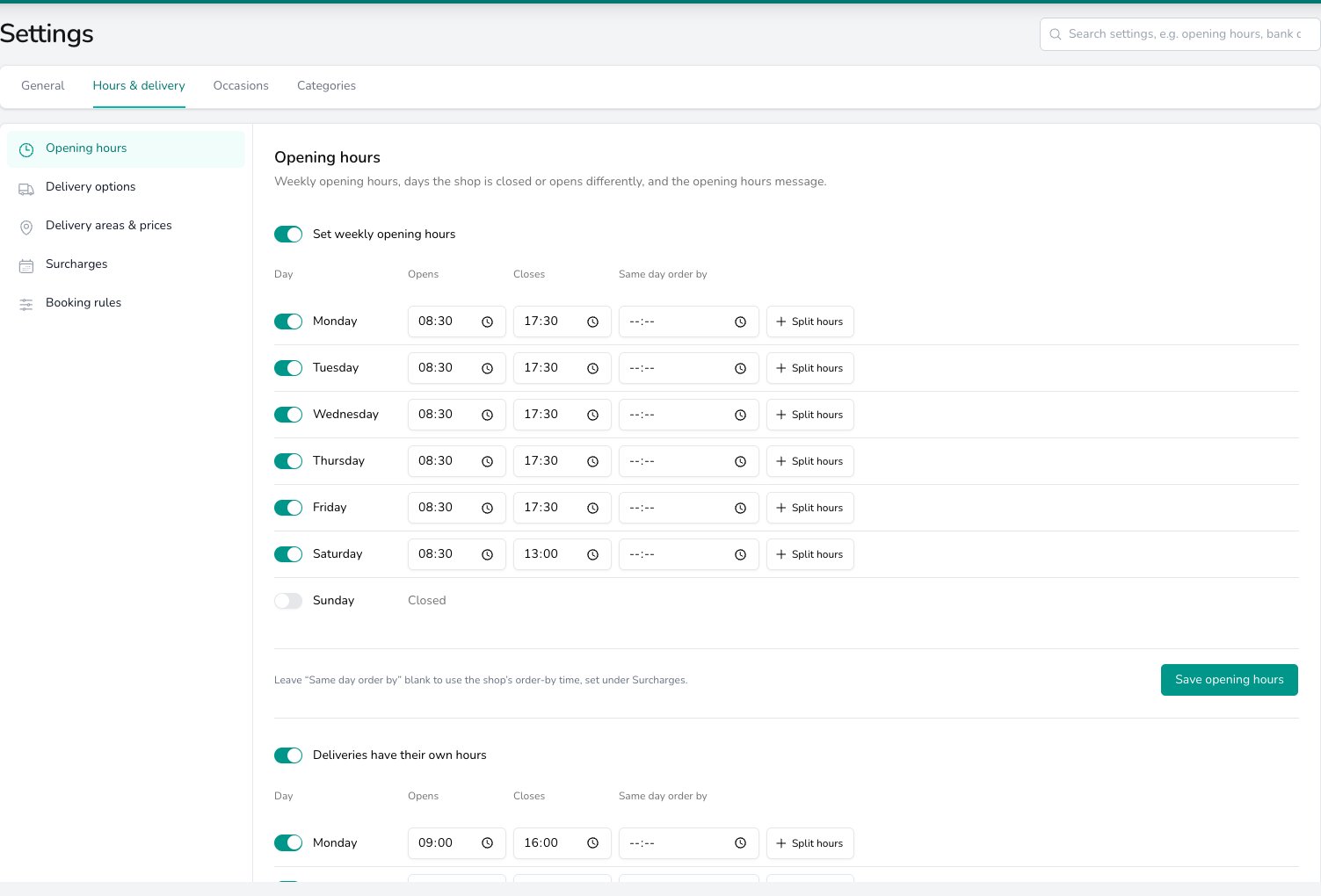
Switch each day on and set when it opens and closes. The Deliveries have their own hours switch underneath gives deliveries a shorter day.
Hours for deliveries only
If your deliveries stop earlier than the shop does, switch on Deliveries have their own hours underneath and set them. Press Copy opening hours to start from the hours above and adjust from there, then press Save delivery hours. Collections keep following the opening hours whatever you set here.The same day order by column
Once you accept same day orders, each weekday gains a Same day order by column. Put a time against a day to give it its own deadline, such as a Saturday you close early on. Leave it blank and the day uses the shop’s Order by time, set under Surcharges.Closed days and different hours
Add your one-off dates in Closed days & different hours, such as bank holidays, the Christmas break or a half day. Select a day on the calendar, or drag across several, then choose Close the shop or Open different hours. Add dates gives you a blank row to type into instead.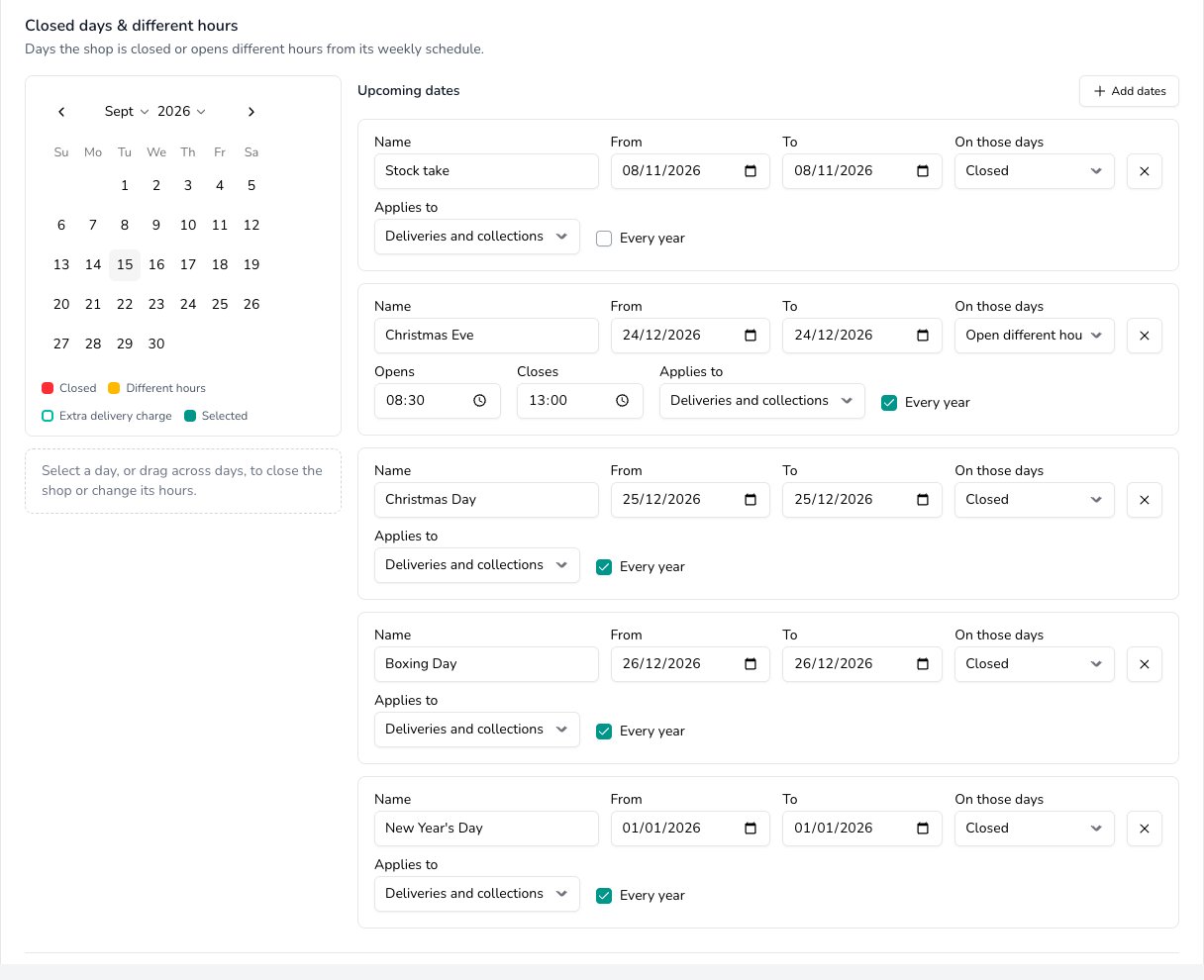
Closed days & different hours: select dates on the calendar, and each rule lists its dates, whether the shop is closed or opens different hours, and whether it repeats every year.
What a closed day does on the order form
Closed dates are marked on the order form’s date picker. What your team can do with one is the choice you make in Booking rules. With See a warning and can continue the date stays pickable and a line under the picker says the shop is closed that day. With Cannot take the order the date is struck through and the order won’t save for it.The opening hours message
When you save your hours, Digital Florists writes an opening hours message from them, and you can read it under Opening hours message. Any customer message that mentions your opening hours uses that wording. When you’d rather say it your own way, type your wording under Use your own wording instead. Clear that box to go back to the message written from your hours.Common questions
Can each shop have its own hours and closed days?
Can each shop have its own hours and closed days?
Yes. Weekly hours, delivery hours and closed days all belong to the shop, and you switch shop in the Set per shop band.
Why isn't there a Same day order by column?
Why isn't there a Same day order by column?
It appears once Accept same day delivery orders is switched on under Surcharges.
Do collections follow the delivery hours?
Do collections follow the delivery hours?
No. Collections follow the weekly opening hours. Deliveries have their own hours changes deliveries alone.
What’s next?
Delivery options
The options your team offers and what each one costs.
Delivery areas & prices
Where you deliver and what each area costs.
Surcharges
Busy day extras and your same day deadline.
Booking rules
Notice, how far ahead orders go, and what a broken rule does.
Create an Order
See the hours and warnings as you take an order.