

This page covers features gated by Admin-tier permissions — typically Settings access. Admins have these by default; your administrator can adjust who has them in Settings > Team.
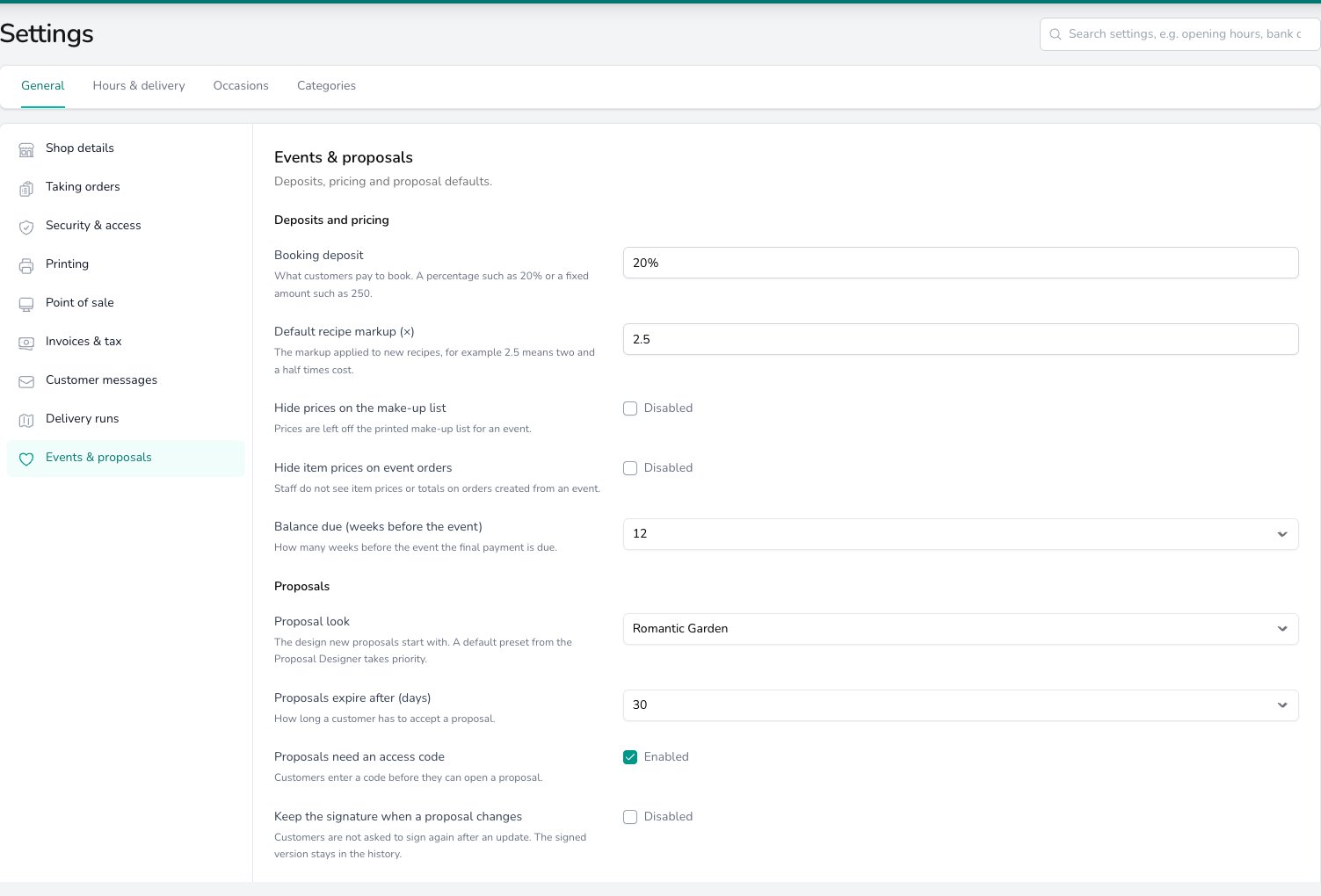
Events & proposals settings: the booking deposit, recipe markup and balance due date sit above the proposal look, expiry and access code defaults.
Deposits and pricing
Type the Booking deposit customers pay to secure a date, either as a percentage such as 20% or a fixed amount such as 250. It fills in the deposit shown in your terms and in the messages sent with a proposal, worked out from that proposal’s total. See Payments & Deposits for recording the deposit when it arrives. Default recipe markup (×) is the markup a new recipe starts with. 2.5 means two and a half times the cost of the ingredients. Change it on any recipe once you’re in the recipe editor. See The markup multiplier. Turn on Hide prices on the make-up list and the printed make-up list for an event leaves prices off, so your workroom sees what to make and nothing else. What you see on screen isn’t affected. See Printing the make-up list. Turn on Hide item prices on event orders and your team doesn’t see item prices or totals on orders created from an event. See Event orders. Balance due (weeks before the event) sets the payment due date suggested on a new event, counted back from the event date. Change it on an event whose booking needs a different deadline. See Payment due dates.Proposals
Proposal look is the design a new proposal starts with. If you’ve saved a style preset in the proposal designer and made it your default, that preset is used instead. See Proposal Themes. Proposals expire after (days) is how long a customer has to accept a proposal, counted from when you publish it. You can change the date on an individual proposal before you send it. See Setting an expiry date. Leave Proposals need an access code on and a customer enters a code before they can open a proposal. The code is shown beside the link on the Sending screen, ready to share separately. See Client Portal. Turn on Keep the signature when a proposal changes and a customer who has already signed isn’t asked to sign again after you update the proposal. The signed version stays in the proposal’s history. Leave it off and each update asks for a fresh signature. Quotes are held for (days) is how long a quote’s prices are held before it expires. It fills in the validity in your terms and in the message sent with a proposal. Terms and conditions are shown on every proposal. Read them through before you send your first one, and change anything that doesn’t match how you work. Type%BOOKING_DEPOSIT%, %PAYMENT_DUE_WEEKS% or %QUOTE_VALIDITY_DAYS% into the text and the figures from this page are filled in, so the terms stay right when you change a setting.
Common questions
Does changing a default change the events I've already created?
Does changing a default change the events I've already created?
No. An event keeps the payment due date it was created with and a recipe keeps its markup, so change those on the event or the recipe. A proposal already published keeps the terms and deposit it was published with. New events, recipes and proposals pick up the defaults from this page.
Can I turn the access code off for one proposal?
Can I turn the access code off for one proposal?
Yes. This page sets what a new proposal starts with. You can turn the access code on or off for an individual proposal from its settings. See Client Portal.
What’s next?
Payments & Deposits
Deposits, due dates and balances on an event.
Proposal Themes
The built-in looks and how to save your own preset.
Sending a Proposal
Publish, share the link and set the expiry date.
Recipes
Cost each arrangement and apply the markup.