

This page covers features gated by Admin-tier permissions — typically Settings access. Admins have these by default; your administrator can adjust who has them in Settings > Team.
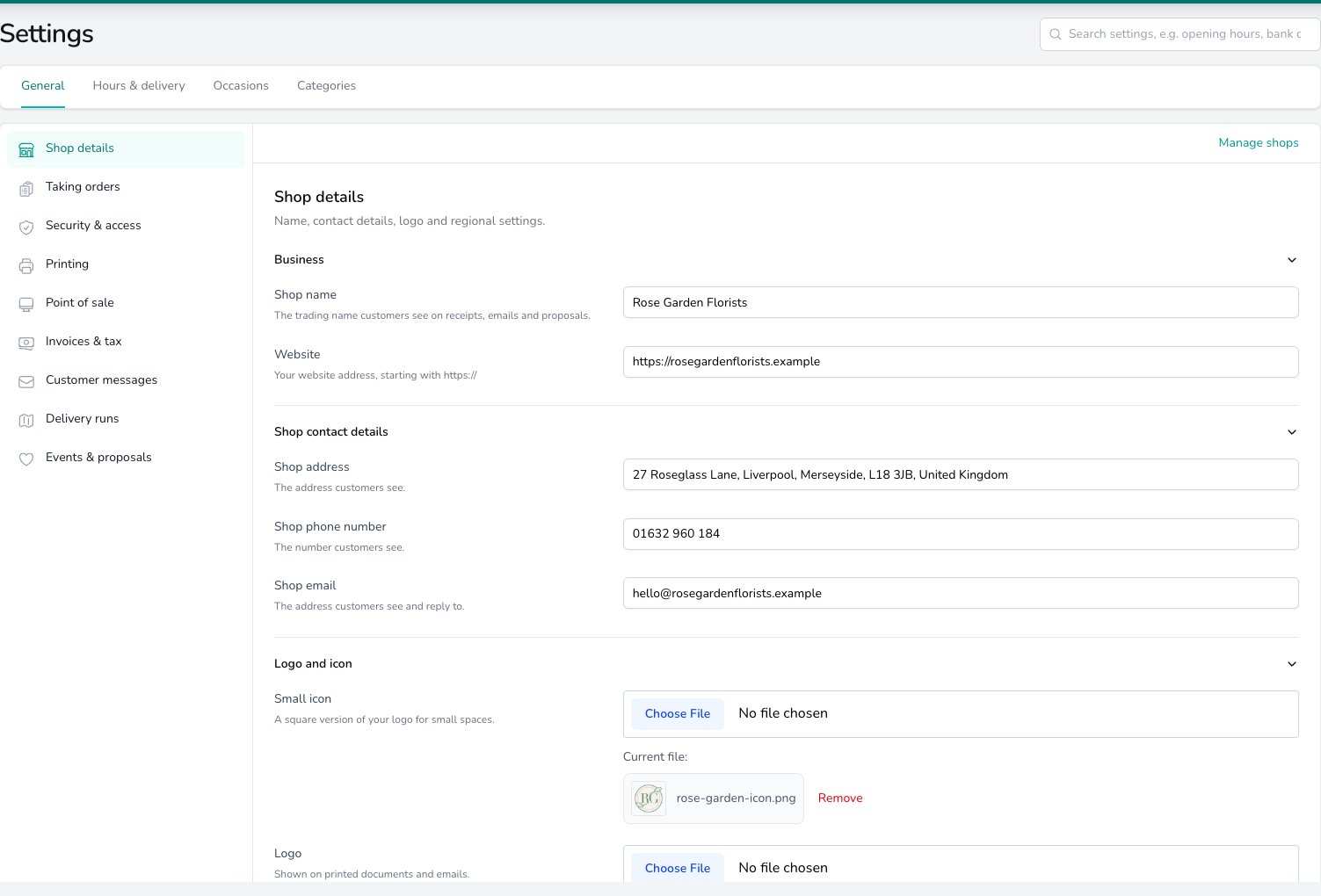
Shop details holds the trading name, website, contact details and logo that appear on receipts, emails and proposals.
Business
Type your trading name into Shop name. It appears on receipts, emails and proposals, so use the name your customers know you by. Put your website address into Website, starting withhttps://. It’s printed on your documents and used in customer emails.
Shop contact details
Enter the Shop address, Shop phone number and Shop email your customers see. Replies to your customer emails go to the email address you enter here. These three belong to each shop. If you run more than one, pick the shop in the Set per shop band before you edit them, and each shop’s paperwork carries its own details.Your shops
When you have more than one shop, a Your shops card lists every shop with its address. Click Edit next to a shop to switch to its settings. To add a shop, rename one or change its address, click Manage shops at the top of the page. See Locations.Logo and icon
Choose a file for Logo and it appears on your printed documents and emails. Choose a square version for Small icon, which is used where there’s only room for a small mark. Click Remove to take one off, or choose a new file to replace it.Regional
Open Regional at the bottom of the page. These settings are shared by every shop.- Time zone. Times throughout Digital Florists follow this.
- Currency. Prices and payments use this currency.
- Country. Sets the address format, how postcodes are read, and which public holidays you’re offered when you name a closed day.
- Distances. Miles or kilometres, for delivery distances and routes.
- Phone Number Display Format. How phone numbers are written across Digital Florists.
What’s next?
Locations
Add a shop, change its address, and see what each shop sets for itself.
Invoices & tax
Tax rates, invoice layout and the VAT number printed on each shop’s paperwork.
Opening hours
Weekly hours, closed days and the opening hours message.